
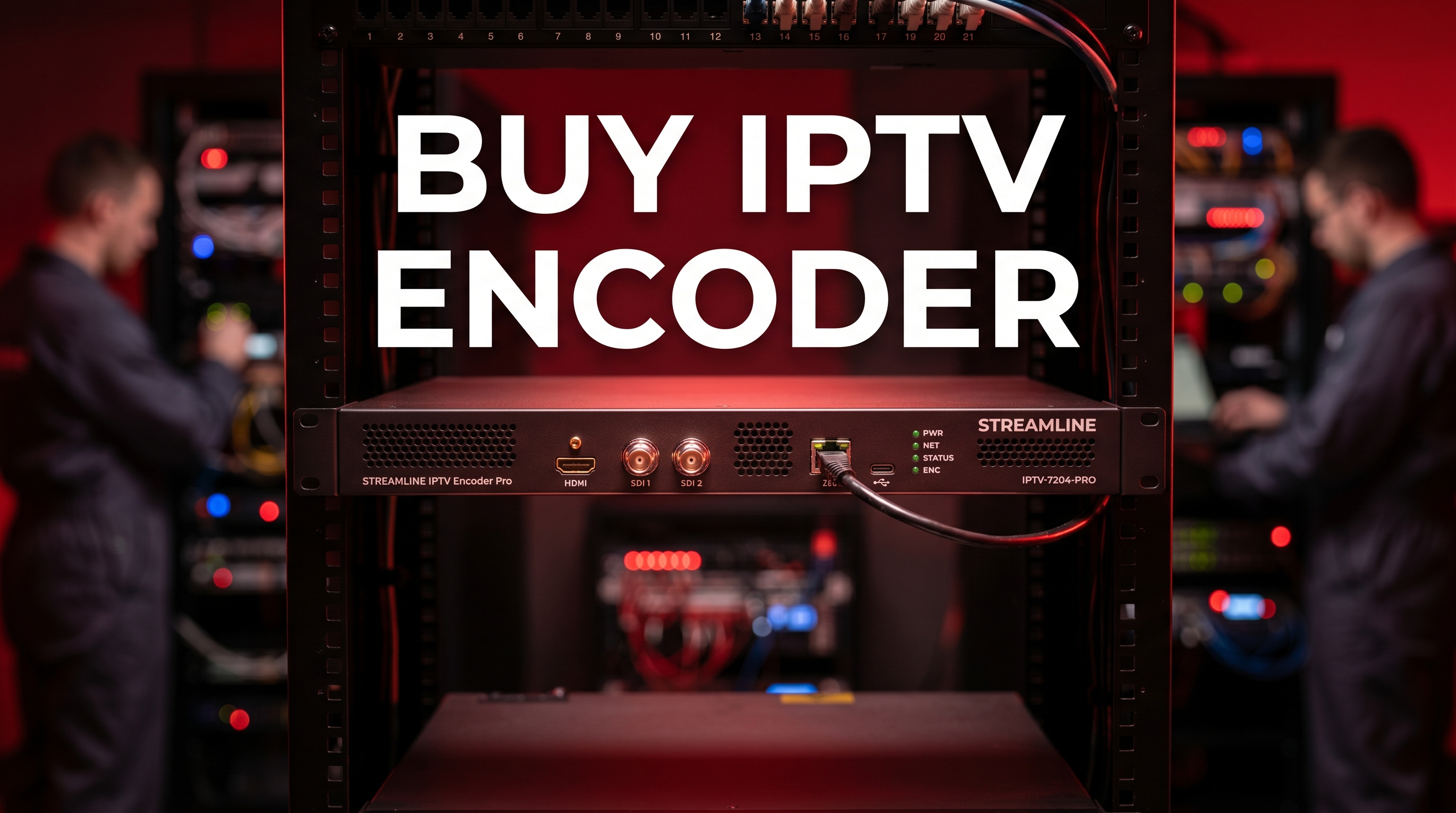
What is an IPTV encoder? An IPTV (Internet Protocol Television) encoder is a specialized hardware device or software application that ingests raw audio and video signals from a camera or production switcher. It then compresses these massive raw files into highly efficient digital formats (like H.264 or H.265). This critical process allows broadcasters to transmit high-quality, live television streams over standard internet networks directly to streaming servers, Content Delivery Networks (CDNs), or viewing devices.
If you are planning to buy iptv encoder equipment this year, you are making one of the most critical investments in your entire digital broadcasting infrastructure. In today’s rapidly evolving digital media landscape, capturing stunning, high-resolution video is only the first half of the equation. Getting that video from your local venue to a global audience in real-time—without experiencing massive latency or pixelated buffering—requires industrial-grade encoding technology.
Whether you are constructing a local television network, broadcasting live sporting events, or establishing a corporate streaming ecosystem in the United States, your encoding hardware is the undisputed beating heart of your operation. However, the professional broadcasting market is highly technical and saturated with complex options.
Navigating the sea of SDI connections, SRT protocols, HEVC compressions, and bitrate management can be incredibly overwhelming for newcomers. In this comprehensive, fully detailed expert guide, we will demystify the technology behind live video compression. We will walk you through the exact technical specifications you must evaluate when you prepare to buy iptv encoder hardware, break down your local network requirements, and provide a foolproof checklist to guarantee your live streams look pristine.
Before you confidently hand over your credit card to buy iptv encoder hardware, you must firmly grasp the fundamental physics of digital video. Raw, uncompressed video data is massively heavy. A single uncompressed 1080p video feed can require over 1.5 Gigabits per second (Gbps) of sustained bandwidth. Sending that raw data over a standard internet connection is physically impossible.
This is exactly where the video encoder steps in to save the broadcast. The encoder utilizes complex mathematical algorithms, known as codecs, to aggressively compress the video. It continuously analyzes the raw footage, removes redundant visual data from frame to frame, and drastically shrinks the overall file size while maintaining stunning visual quality. Historically, the most universally accepted codec in the industry has been Advanced Video Coding (AVC), commonly known as H.264.
When evaluating modern enterprise hardware today, you will constantly see prominent references to H.265, which is also known as High-Efficiency Video Coding (HEVC). This technology is the direct successor to the older H.264 standard. HEVC is roughly 50% more efficient than its predecessor.
This means an H.265 encoder can deliver the exact same visual quality as an H.264 stream while consuming half the internet upload bandwidth. For a comprehensive, highly technical breakdown of how these advanced compression algorithms operate, you can explore this detailed architectural overview of High Efficiency Video Coding (HEVC) on Wikipedia.
One of the most heavily debated topics among digital broadcasters is whether to purchase dedicated hardware or rely on software running on a traditional PC (such as OBS or vMix). Software encoders are highly flexible, allowing you to add complex graphics or lower thirds effortlessly. However, encoding video puts a massive, sustained strain on a computer’s CPU and GPU. If your computer decides to run a background update or overheats, your entire live stream will crash instantly.
A dedicated hardware encoder is a physical box built for one single, unwavering purpose: compressing and transmitting video. It does not run Windows updates, it does not get distracting background notifications, and it runs quietly for weeks on end without crashing. When enterprise stability is your primary goal, you must buy iptv encoder hardware rather than relying on software.
Not all encoders are created equal. The market ranges widely, from $150 generic boxes to $10,000 enterprise-grade rackmount servers. To ensure you make the most appropriate investment for your specific broadcasting needs, you must heavily scrutinize the hardware’s core specifications.
The physical connection sitting between your camera and your encoder strictly dictates the reliability of your entire stream.
HDMI Inputs: Standard High-Definition Multimedia Interface (HDMI) cables are ubiquitous and highly affordable. They are perfect for basic studio setups, podcasts, and small corporate rooms. However, HDMI cables cannot run longer than 50 feet without severe signal degradation, and they lack a physical locking mechanism.
SDI Inputs: Serial Digital Interface (SDI) is the absolute professional broadcasting standard. SDI cables can run for hundreds of feet without losing any quality and feature a secure twist-and-lock BNC connector. If you are operating in a fast-paced environment like a live concert or a busy sports arena, you must buy iptv encoder gear equipped with SDI inputs to prevent accidental cable disconnections.
As mentioned earlier, bandwidth is your most valuable commodity when broadcasting live. If you plan to stream in true 4K resolution, or if you simply want to provide the sharpest 1080p image possible, purchasing a device that strictly supports H.265 hardware encoding is absolutely mandatory. It future-proofs your investment for the next decade of digital broadcasting.
The streaming protocol is the specific language the encoder uses to send the video across the internet to the server. For many years, the Real-Time Messaging Protocol (RTMP) was the absolute industry standard. However, RTMP is outdated and struggles heavily to maintain connections over unstable internet networks.
When you buy iptv encoder hardware today, you must guarantee it supports Secure Reliable Transport (SRT). SRT is a modern, open-source protocol engineered specifically to deliver pristine video over unpredictable public networks. It recovers lost data packets in real-time, meaning your live broadcast will not drop even if your local internet connection experiences sudden lag spikes.
If you are looking to integrate your newly purchased hardware into a top-tier digital ecosystem, explore our comprehensive Home Page to see how premium panels manage digital streams.
The demand for dedicated video encoding hardware has skyrocketed across various industries in the United States. Understanding how different commercial sectors utilize this technology can help you confidently map out your own broadcasting strategy.
In the fast-paced world of live sports, latency is the ultimate enemy. Viewers watching at home simply cannot afford to see a touchdown 45 seconds after it actually happens in the stadium. Broadcasters use ultra-low latency hardware encoders to capture the live camera feeds and shoot them to a Content Delivery Network (CDN) in mere milliseconds, ensuring paying fans experience the action in true real-time.
Thousands of local churches and corporate offices have permanently transitioned to hybrid viewing environments. They require a reliable “set it and forget it” solution. A dedicated hardware encoder can be permanently installed in an AV rack and programmed to automatically push a 1080p stream to YouTube, Facebook Live, or a private company server the exact moment it is powered on.
If you are an entrepreneur looking to build your own digital television service—perhaps for a large hotel, a university campus, or a localized private community—encoders are your foundational bedrock. You will need to buy iptv encoder racks capable of ingesting dozens of live satellite feeds simultaneously, encoding them into multicast IP streams, and efficiently distributing them to set-top boxes across your entire private network.
To understand how rapidly this independent streaming model is dominating the global entertainment sector, you can review this Statista report on global digital video viewership.
The most expensive, high-end video encoder in the world is completely useless if it is connected to a poor local internet network. Video encoding is only the first step; data transmission is where the vast majority of amateur broadcasters fail.
Most general consumers only look at their download speed when evaluating their internet package. However, as a live broadcaster, you are pushing heavy data out to the internet. Therefore, your Upload Speed is the absolute only metric that matters for a stable broadcast.
Before you finalize your hardware purchase, it is absolutely essential to verify that your local network infrastructure can support heavy video transmission. To ensure your broadcasting environment meets national standards, we highly recommend reviewing the official FCC Broadband Speed Guide. According to broadcasting standards, you should always have double the upload speed of your intended video bitrate. If you want to push a high-quality stream at 6 Mbps, you need an absolute minimum, rock-solid upload speed of 12 Mbps to account for natural network fluctuations.
Never attempt to stream professional live video over Wi-Fi. While Wi-Fi is incredibly convenient, it relies on vulnerable radio waves that are easily interrupted by thick concrete walls, microwaves, and other mobile devices entering the area.
When you buy iptv encoder hardware, you must place it in a physical location where it can be directly hardwired to your internet router using a high-quality Cat6 Ethernet cable. This eliminates packet loss entirely and guarantees a steady flow of encrypted data to your streaming server.
For more insights into optimizing your local setups, you can read our internal guides on our Frequently Asked Questions page.
Once your new hardware physically arrives, setting it up requires a highly methodical approach. Follow this expert configuration checklist to ensure your very first live broadcast is a total success.
Video is only half of the broadcast. Poor, echoing audio will drive viewers away significantly faster than a blurry picture ever will. Ensure you verify what audio codecs your hardware supports (such as AAC or MP3) and check if it has a dedicated 3.5mm line-in audio jack. This feature allows you to bypass the camera’s weak internal microphone and inject crystal-clear sound directly from a professional audio mixing board.
To configure the physical device, you will need a laptop on the exact same network. Type the encoder’s local IP address into your web browser to securely access its internal dashboard. Here, you will set your target resolution (e.g., 1920×1080), your precise frame rate (e.g., 30fps or 60fps), and your strict target bitrate.
Encoding heavy video is a mathematically intense process that consistently generates a significant amount of heat. Ensure your hardware is not stacked directly on top of other hot AV equipment. Keep the ambient room temperature cool and ensure the device’s internal fans or heat sinks have plenty of airflow to prevent thermal throttling.
The transition into professional digital broadcasting involves a steep learning curve. To safely protect your financial investment, ensure you avoid these incredibly common pitfalls that frequently plague new streaming setups.
Do not get lured in by cheap hardware prices on older models. If you buy iptv encoder equipment that only supports the outdated RTMP protocol and lacks HEVC support, your stream will suffer from constant latency issues and consume far too much bandwidth. Always verify that SRT protocol support is explicitly listed in the technical specifications.
Before you execute your purchase, you must know exactly where your video is going. Are you streaming directly to YouTube? Twitch? Or a private Wowza streaming server? Ensure the encoder’s firmware explicitly supports the specific streaming protocols required by your final destination platform, otherwise, your streams will simply fail to connect.
Cheap, plastic encoders with poor ventilation will eventually overheat during long broadcasts, causing your stream to stutter and inevitably crash. Always look for encoders housed in rugged, aerospace-grade aluminum chassis with active cooling fans or large heat sinks. Durability is just as important as the internal microchips.
The broadcasting industry is constantly innovating. If you are preparing to buy iptv encoder hardware today, it is incredibly helpful to know where the global technology is heading over the next three to five years to ensure your investment remains relevant.
While H.265 (HEVC) is currently the enterprise gold standard, the AV1 codec is rapidly gaining massive industry traction. AV1 is an open-source, royalty-free video codec developed by an alliance of tech giants including Google, Amazon, and Netflix. It promises even greater compression efficiency than HEVC. While hardware encoders supporting AV1 are currently rare and highly expensive, they will soon become the industry standard as 8K streaming becomes more prominent across the United States.
The next major generation of encoding hardware will rely heavily on integrated Artificial Intelligence. Future encoders will feature dedicated AI chips that analyze the video feed in absolute real-time. If the AI detects a static scene (like a news anchor sitting completely still), it will automatically drop the streaming bitrate to save massive amounts of bandwidth. The moment fast action begins (like a soccer match), the AI will instantly spike the bitrate to preserve visual clarity, completely automating the quality control process.
To ensure you have absolute clarity before making your financial investment, we have compiled and answered the most common questions from new broadcasters.
Can I use a capture card instead of a hardware encoder? Yes, but they serve entirely different operational purposes. A capture card (like an Elgato) brings video into your computer so software like OBS can encode it. When you buy iptv encoder hardware, the physical box does all the processing internally and pushes the stream directly to the internet without needing a fragile PC to act as a middleman.
What is the difference between Unicast and Multicast streaming? Unicast sends a separate, distinct video stream to every single viewer (like Netflix). Multicast sends one single stream onto a private network, and unlimited local viewers can “tune in” to that single stream without using extra bandwidth. Multicast is heavily used in hotels, hospitals, and enterprise networks.
Do I need an encoder to simply watch digital television? No. Encoders are strictly required for broadcasters who are generating and sending video out to the internet. If you are simply a consumer looking to watch digital television at home, you need a decoder (which is already built into your Smart TV, Firestick, or Android set-top box).
The global transition from outdated analog video systems to modern, high-definition digital broadcasting is no longer optional; it is a strict operational requirement for success in today’s fiercely competitive media landscape. By taking the time to research the market and confidently choosing to buy iptv encoder hardware, you are laying an industrial-grade foundation for your entire digital ecosystem.
You are gaining the ultimate ability to capture pristine, high-definition raw footage and compress it effortlessly into efficient, internet-ready streams. Most importantly, by investing in dedicated enterprise hardware, you are ensuring that your live broadcasts run with 99.9% stability, completely free from the sudden crashes and buffering associated with weak software setups.
Armed with the professional insights from this expert guide, you now know exactly how to evaluate H.265 compression, choose safely between SDI and HDMI inputs, and optimize your local network upload speeds for flawless transmission. There is absolutely no reason to settle for unstable, pixelated broadcasts when enterprise-grade encoding technology is readily available.
Take Action Now: Step into the seamless future of professional live broadcasting. If you are building a new digital television network or simply upgrading your current streaming hardware, you need a robust digital infrastructure to support it. Visit our Pricing Page to explore our premium broadcasting solutions. If you need personalized technical advice on integrating your new encoder with a streaming panel, our dedicated expert support team is waiting for you—reach out directly through our Contact Us page today.
67iptv © 2026 all rights reserved
WhatsApp us